How to make a fit check video

mangoroad team
6 min read
Key takeaways
- Fit check cuts 12 photos or clips of your outfit fast on the beat, with whip, spin and zoom transitions and every shot landing tilted.
- Each shot has a prompt: walking towards a low camera, shooting up from the ground, shoes, face, leaning, a candid laugh.
- It's cut to Say It Right by Nelly Furtado, which you add on Instagram from 0:57 when you post, so the export is silent.
A good fit check video is fast, a little chaotic and impossible not to rewatch. The Fit check template in mangoroad is a fit check video template that cuts 12 photos or clips of your outfit on the beat, with every cut a whip, a spin or a zoom with motion blur, and every shot landing on a tilt.
It's the kind of edit that would take ages in editing software, done for you in the time it takes to choose your shots. Here's how to film it, how to make it in mangoroad, and how to get more people watching on TikTok, Instagram Reels and YouTube Shorts.
What the Fit check template is
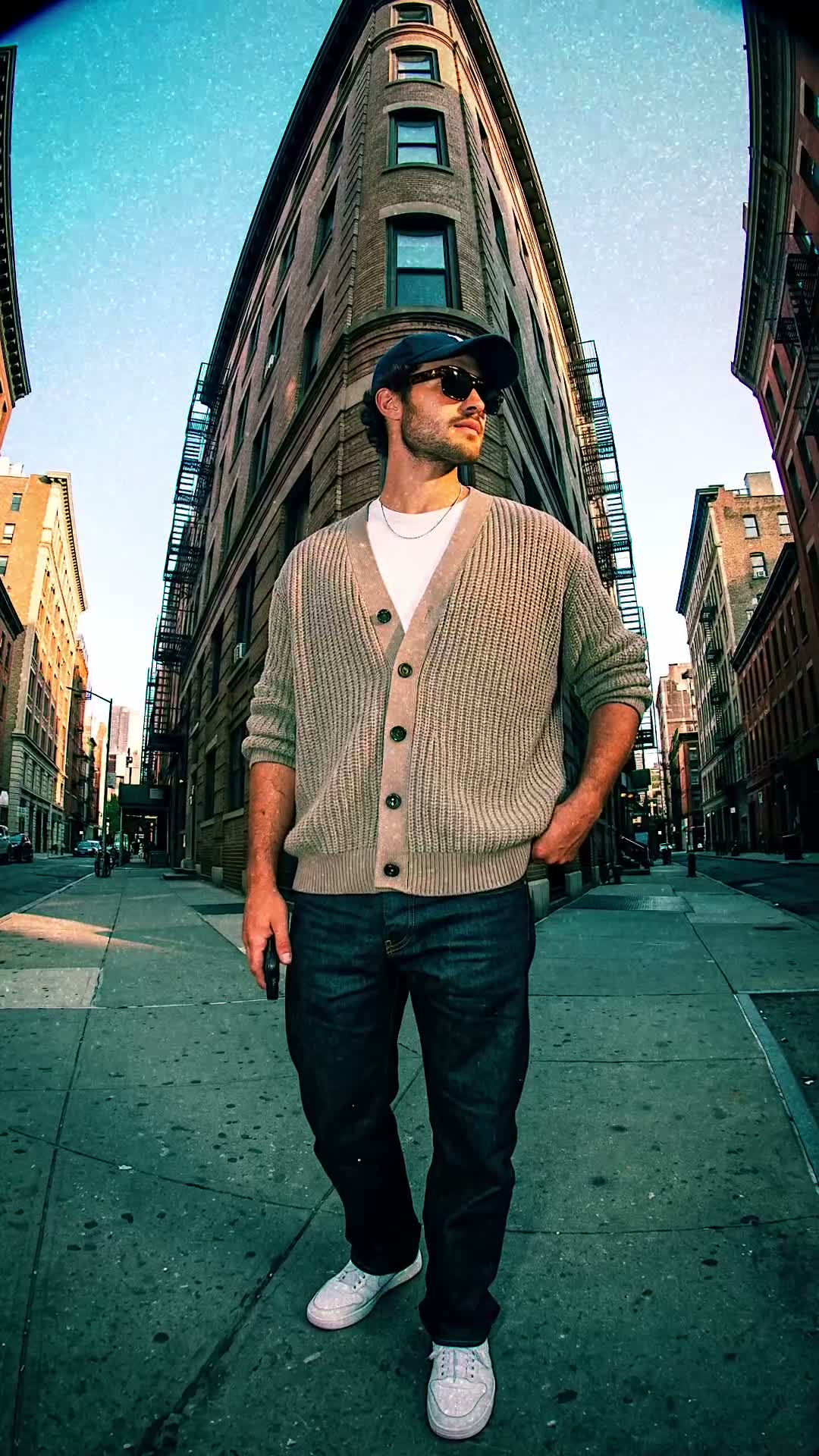
The finished video is vertical and about eight seconds long. Your shots fly past on the beat, each one arriving with a whip pan, a spin or a zoom, blurred with motion as it comes in, and settling at a slight angle. It feels energetic and a bit playful, like flicking through someone's outfit at speed.
It's cut to Say It Right by Nelly Furtado. The song isn't baked into the video: the preview plays it so you can see the timing, and you add it on Instagram from 0:57 when you post.
Who it's for
- Fashion and outfit creators who post fits often and want a format that keeps up.
- Anyone with a new outfit, a charity shop find or a look they're proud of.
- Friends getting ready together before a night out or an event.
- Anyone who'd rather not learn editing software. The transitions, blur and timing are all done for you.
How to make it in mangoroad (step by step)
Step 1: Open mangoroad and pick Fit check
Find Fit check in Discover and watch the preview. When you're ready, tap Use template.
Step 2: Shoot and choose 12 photos or clips
Each shot has a prompt in the app. Among them:
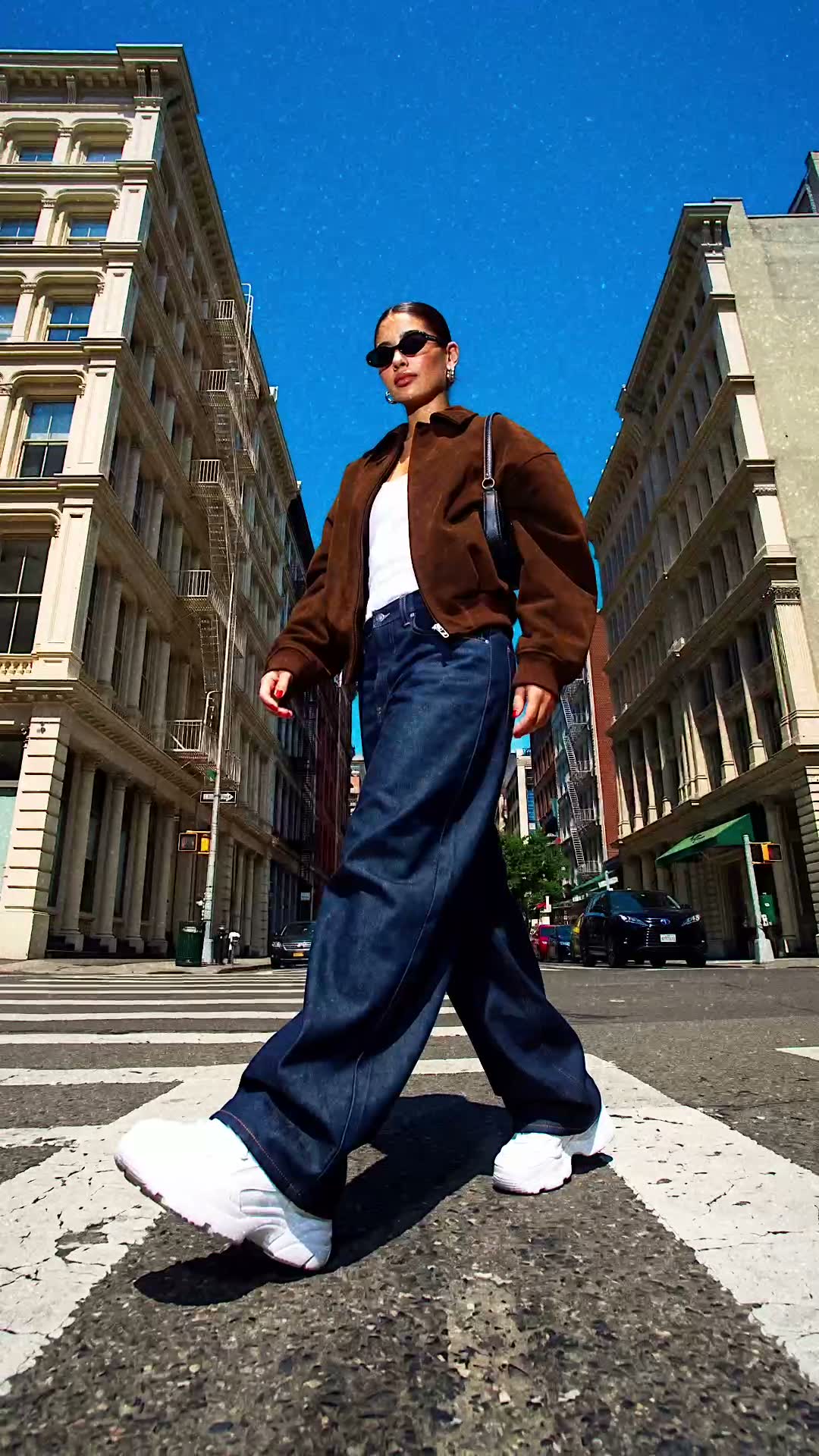
- Full outfit, walking towards the camera. Phone low, near knee height and tilted up; walk towards it for a few seconds.
- Full outfit from down low. Crouch and shoot up from the ground so the buildings rise behind you.
- Your shoes, close up. Phone at ankle height, a step in front of your feet. Mid-stride works well.
- Your face, close up. Head and shoulders: put sunglasses on, or turn to the camera.
- Leaning on a wall or column. One foot up, shot from a few steps away, a little low.
- Waist up, candid. Laugh or look away, mid-movement, not posed.
Wear the same outfit throughout, and don't worry about perfect stillness: movement in the shots suits the blurred transitions. Photos and short clips both work.
Step 3: Check the song
Fit check doesn't have text to change, so the shots do all the talking. The preview plays Say It Right so you can check the cuts land on the beat, and the app reminds you that the track is added on Instagram.
Step 4: Preview and tweak
mangoroad shows you the finished video straight away. If a shot lands awkwardly, swap it in Clips, or reframe and trim it in Adjust. The preview updates each time.
Step 5: Export and add the music
Tap Export. The video is saved to Photos and kept in Projects in the app. Then follow Add music: the app opens Instagram so you can add Say It Right from 0:57, where the edit is timed to start.
How to get more people watching
A fast edit gets people rewatching. A few ways to make the most of that:
Hook them in the first second
Your first shot sets the tone, so make it the full outfit. Then give people a reason to watch to the end:
- “Every piece is second-hand.”
- “Outfit for my first day at the new job.”
- “Pause it if you can.”
Turn it into a series
Once you've learnt the 12 shots, a new fit takes minutes. Post one every week, every event or every day of a trip. People who like your style will look out for the next one.
Use trends without copying them
When a colour, a cut or a theme is trending, show how you'd wear it. Your wardrobe and your places make it yours, even with the same format everyone recognises.
Post it on TikTok, Reels and Shorts
The export is vertical 9:16, so the same file fits all three. A few things to check:
- Music. On Instagram, add Say It Right from 0:57. On TikTok or Shorts, search for the same track in the sound library, or pick another with a strong beat.
- Caption. List what you're wearing; people will ask either way.
- Cover frame. Use a full-outfit shot so the video reads on your profile.
Keep the conversation going
Ask people to rate the fit, or to choose your next one from two options. Making the winner gives the people who voted a reason to come back.
Example captions and hashtags
Copy these as they are or use them as a starting point:
For a creator
Fit check: everything here is second-hand. Rate it out of ten.
#fitcheck #ootd #thriftedoutfit #outfitinspo #streetstyle #reels
For a night out
Getting ready took longer than the party. Worth it.
#fitcheck #nightoutoutfit #ootd #grwm #outfitideas
Just for fun
Pause it if you can. I couldn't.
#fitcheck #outfitvideo #funnyreels #ootd #styleinspo
Swap in tags that describe your own video. A few specific ones say more about it than a long list of generic ones.
FAQ
- Is the Fit check template free to use in mangoroad?
- mangoroad isn't on the App Store yet. Making videos with its templates, Fit check included, needs full access in the app, and the app shows you the options before you pay for anything. Get early access on this page and we'll email you when it's ready.
- What photos or clips work best for a fit check video?
- Twelve shots of the same outfit from lots of angles: walking towards a low camera, shot up from the ground, shoes and face close up, leaning on a wall, and a candid, mid-movement moment. Movement in the shots suits the fast, blurred transitions.
- Can I post a fit check video to TikTok, Reels and Shorts?
- Yes. It exports as a vertical 9:16 video to your Photos. The song is added on Instagram; on TikTok or Shorts, search the app's sound library for the same track or choose another with a strong beat.
- How long should a fit check video be?
- The template runs for about eight seconds. Twelve shots in that time keeps it fast, which is the point: it invites a second watch to catch every detail.
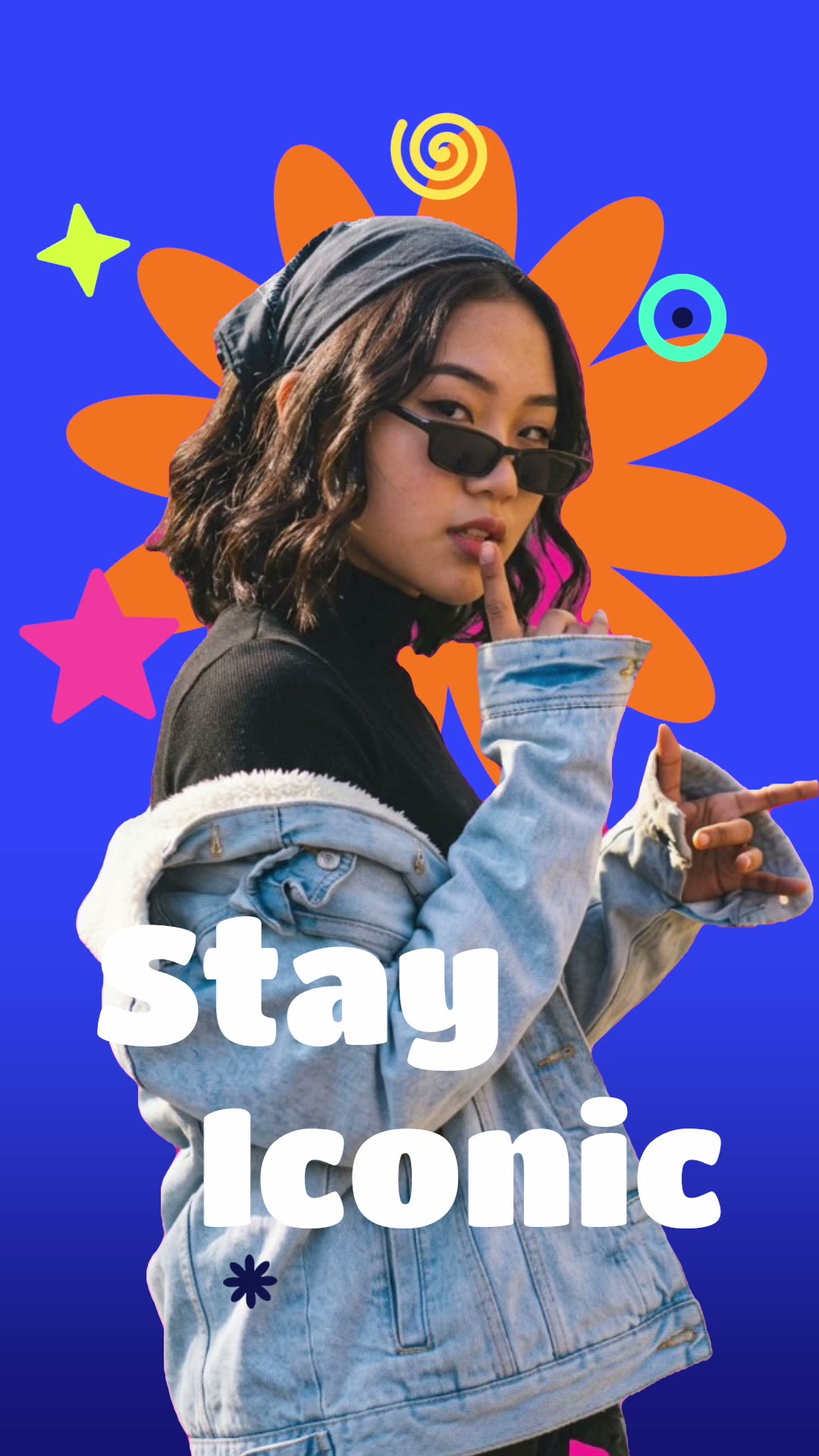
Twelve shots, one outfit, about eight seconds on the beat. Find a street with some character and start filming. For more outfit edits, try Menswear fit check or Look different, or a bold cut-out with Stay iconic, and find every new template on the mangoroad blog.