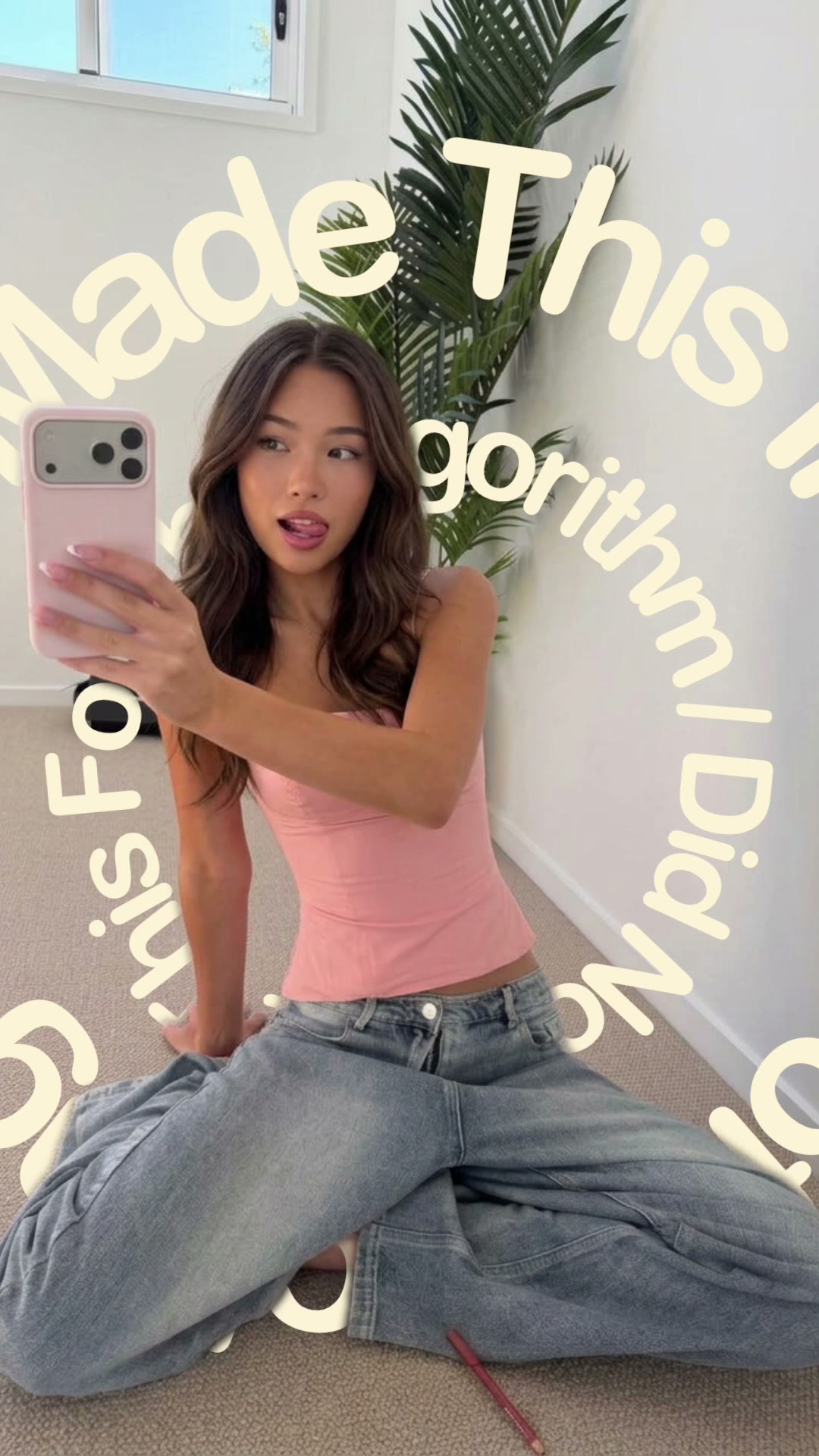
How to make a walk-by text video

mangoroad team
6 min read
Key takeaways
- Walk-by text reveals one big word behind you as you walk across the shot, so it looks as if you've walked past your own title.
- Film one clip with your phone propped up and still, walking side-on across the frame, with space above you for the word.
- Type your word and pick one of seven fonts in Text, preview it, then export a six-second vertical video to Photos.
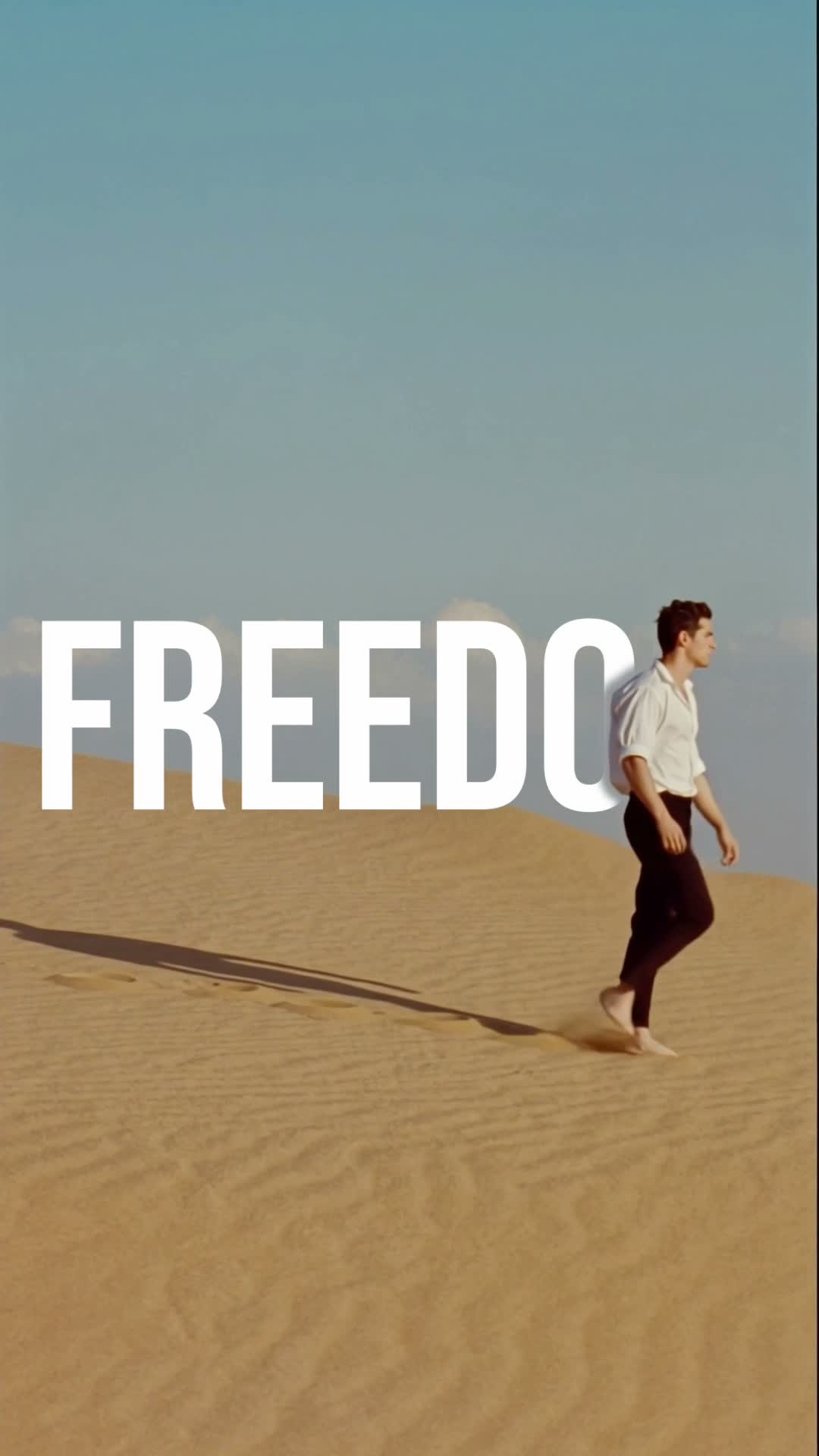
A walk-by text video is the one where you stroll across the shot and a giant word appears behind you, as if you've just walked past your own title card. The Walk-by text template in mangoroad makes it from a single clip: you film yourself walking across, type your word, and the app tracks it to you so it's revealed behind you as you pass.
It's a simple idea that reads instantly on a phone, which makes it a strong opening for a TikTok, an Instagram Reel or a YouTube Short. Here's how to film it, how to make it in mangoroad, and how to get more people watching once it's up.
What the Walk-by text template is
The finished video is vertical and about six seconds long. You walk into the frame, and as you move across, your word appears behind you, following you as you go. Because the word sits behind you rather than on top of you, it looks like part of the scene instead of something stuck on afterwards.
It suits anything you can sum up in one word: a mood, a place, a day of the week, the start of a story. Think “Monday” as you head out for coffee, “Lisbon” on the first evening of a trip, or “Finally” when the thing you've waited all week for has arrived. It's made for the vertical screen, and the payoff lands in the first couple of seconds, which is exactly where TikTok, Reels and Shorts are decided.
Who it's for
- POV and storytime creators who want a stronger opening than plain text on screen.
- Anyone sharing a trip, a city walk or a day out who wants a title that feels like part of the place.
- People starting a series, where one word each time tells followers what this episode is about.
- Anyone who'd rather not learn editing software. The tracking and layering are done for you.
How to make it in mangoroad (step by step)
Step 1: Open mangoroad and pick Walk-by text
Find Walk-by text in Discover and watch the preview to see the effect. When you're ready, tap Use template.
Step 2: Choose your clip
Walk-by text needs one video, and how you film it matters more than anything else:
- Keep the phone still. Prop it on a wall, a bench or a bag rather than holding it.
- Walk across, not towards the camera. Go side-on from one edge of the frame to the other, with your whole body in shot.
- Leave space above you. Plenty of sky or plain wall above your head gives the word room.
- Film in good light. Daylight, or a well-lit street after dark, helps the app pick you out from the background.
Start filming a moment before you step into the frame and keep going until you're out of it, so the walk isn't cut short.
Step 3: Add your word
Open Text and type your word. Short words read best: one word, big on screen. Then pick a font. There are seven to choose from, from bold, condensed styles like Anton and Archivo Black to the handwritten Permanent Marker and the more elegant Instrument Serif and Playfair Display.
Walk-by text doesn't come with a song of its own, so add a sound in TikTok, Instagram or YouTube when you post.
Step 4: Preview and tweak
mangoroad shows you the finished video straight away. If something's not right, change it: swap your clip in Clips, reframe it in Adjust, or try a different word or font in Text. The preview updates each time, so you can try a few versions before you settle on one.
Step 5: Export to Photos and post
Tap Export. The video is saved to Photos and kept in Projects in the app, and the share sheet opens so you can send it straight to TikTok, Instagram or YouTube.
How to get more people watching
A good-looking video is half of it. The other half is giving people a reason to stop, watch and come back for the next one. A few things that help:
Hook them in the first second
Your word is the hook, so choose it for the person scrolling, not just for you. Words that raise a question work well:
- “Confession” before a storytime.
- “Finally” for something you've been waiting for.
- “Day 1” to start a challenge or a new habit.
Then finish the thought in the first line of your caption, so the word and the caption work together.
Turn it into a series
Walk-by text is quick to repeat, which makes it a natural series. Film the same walk in the same spot with a new word each time: a word of the week, a countdown to a trip, or one word for each day of a holiday. Post on the same day each week so people know when to expect the next one.
Use trends without copying them
When a sound or topic is everywhere, ask yourself which single word sums it up for you, and film your walk somewhere that fits. You're joining in with your own version rather than recreating someone else's video shot for shot. Add the trending sound when you post.
Post it on TikTok, Reels and Shorts
The export is vertical 9:16, so the same file fits all three. A few small things are worth a minute:
- Cover frame. Pick a moment when the word is fully visible behind you, so it reads on your profile grid.
- Clear of the buttons. Each app puts its buttons and caption along the bottom and right edge. Your word sits in the upper half of the frame, out of their way.
- Sound. Add audio in each app separately, because each has its own sound library.
Keep the conversation going
Ask people to comment the word they want to see next, then make it. Replying to a comment with a new video gives the person who suggested it a reason to come back, and gives you your next post.
Example captions and hashtags
Copy these as they are or use them as a starting point:
For a creator
Confession: I film every video in exactly the same spot. Here's why.
#storytime #pov #walkbytext #textbehindme #creatorlife #iphonevideo
For a trip or a day out
Lisbon, day one. Tiled walls, steep streets and far too many pastéis de nata.
#lisbon #travelreel #citywalk #walkbytext #weekendaway #traveldiary
Just for fun
Finally Friday. That's it, that's the post.
#friday #weekendvibes #walkbytext #textbehindme #mood #reels
Swap in tags that describe your own video. A few specific ones say more about it than a long list of generic ones.
FAQ
- Is the Walk-by text template free to use in mangoroad?
- mangoroad isn't on the App Store yet. Making videos with its templates, Walk-by text included, needs full access in the app, and the app shows you the options before you pay for anything. Get early access on this page and we'll email you when it's ready.
- What clips work best for a walk-by text video?
- One video of you walking across the frame from one side to the other, side-on, with your whole body in shot. Prop your phone up so it doesn't move, and leave plenty of sky or plain wall above your head, because that's where your word goes. Good light and a background that isn't too busy help the app pick you out.
- Can I post a walk-by text video to TikTok, Reels and Shorts?
- Yes. It exports to your Photos as a vertical 9:16 video, the shape all three use, so you can upload the same file to each.
- How long should a walk-by text video be?
- The template makes a video of about six seconds, which suits one strong word. If you've got more to say, put it in your caption or save the next word for a follow-up video.
That's all there is to it: one clip, one word, about six seconds. Find a spot with some space above you, prop your phone up and take a walk. For more text-led looks, try Text spinner and Stay iconic, or NYC Perfect Day for a whole day out, and find every new template on the mangoroad blog.